

MyFordBenefits.com: A Complete Guide for Employees and Retirees
MyFordBenefits.com is the official benefits portal for Ford Motor Company employees, retirees, and eligible family members. Administered by Alight Solutions, it gives users 24/7 online access to...

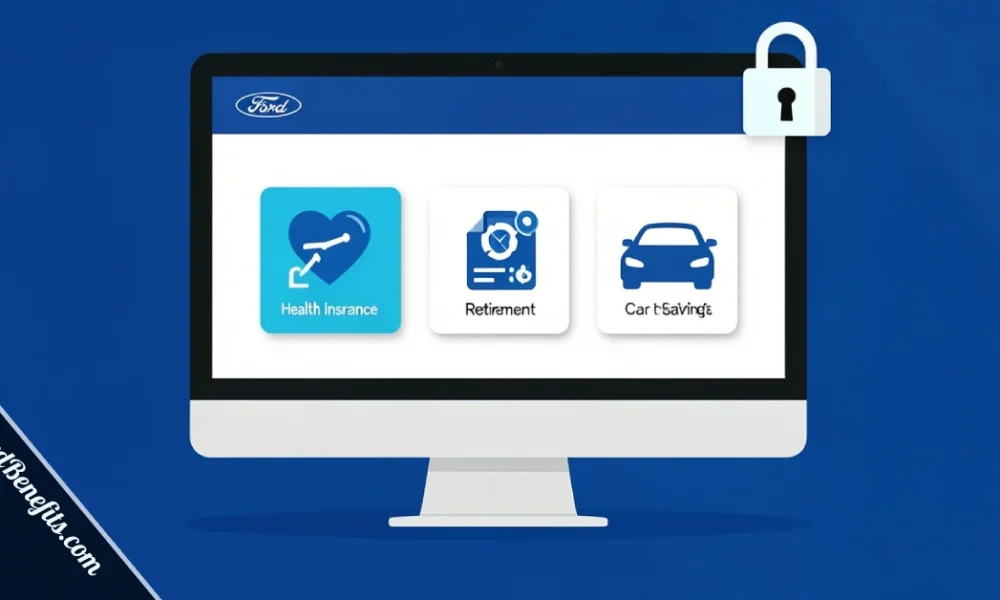
MyFordBenefits.com is the official benefits portal for Ford Motor Company employees, retirees, and eligible family members. Administered by Alight Solutions, it gives users 24/7 online access to health insurance enrollment, retirement accounts, vehicle discounts, and benefit plan management. You do not need to call HR for most tasks. Everything is accessible through one secure login.
Table Of Content
- What MyFordBenefits.com Actually Is
- Who Administers the Portal
- Who Can Access MyFordBenefits
- How to Log In to MyFordBenefits
- First-Time Registration Steps
- Benefits Available Through the Portal
- Health, Dental, and Vision
- Retirement Plans: SSIP vs TESPHE
- HSA, FSA, and HRA Options
- AXZ Vehicle Discount Plan
- How to Troubleshoot Login Problems
- How to Contact Ford Benefits Support
- A Note on Phishing Sites
- FAQs
Managing your Ford benefits used to mean long calls to HR or sorting through paper forms. Today, most of that happens at myfordbenefits.com in a few clicks. Whether you are a current salaried employee, a UAW hourly worker, or a Ford retiree, this portal is your main tool for health coverage, retirement savings, and employee perks.
This guide explains exactly what MyFordBenefits is, how to use it, what benefits it covers, and what to do when something goes wrong.
What MyFordBenefits.com Actually Is
MyFordBenefits is Ford Motor Company’s centralized benefits management platform. It replaced a fragmented system of HR calls and paper processes with a single, secure website where you can view, enroll in, and update your benefits at any time.
As of 2026, the portal covers health insurance, retirement plans, savings accounts, and the company vehicle discount program. It is built for Ford’s workforce of more than 170,000 employees across the U.S., plus thousands of retirees who remain eligible for certain benefits.
Who Administers the Portal
Ford does not run the portal’s technology directly. Alight Solutions, a global benefits administration company, manages the back-end infrastructure through its Worklife platform. When you log in at myfordbenefits.com, you may be redirected to Alight’s secure environment. This is normal. The data you see is specific to your Ford benefits and employment record.
Depending on the benefit type, other providers also play a role. Blue Cross Blue Shield of Michigan administers health coverage for many salaried employees. Voya Financial manages the TESPHE retirement plan for hourly UAW workers. Smart-Choice is Ford’s current Health Savings Account (HSA) provider.
Who Can Access MyFordBenefits
The portal is available to:
- Active salaried Ford employees
- Active hourly Ford employees covered under UAW agreements
- Ford retirees who remain benefit-eligible
- Eligible dependents (for enrollment purposes)
If you are a contract worker or a former employee who left before vesting in certain plans, your access may be limited or handled through a separate portal. When in doubt, contact the National Employee Service Center (NESC) at 1-800-248-4444.
How to Log In to MyFordBenefits
Go to www.myfordbenefits.com and select either the employee or retiree login option. Enter your User ID and password, then complete any two-factor verification if prompted. Your User ID is typically provided during onboarding or at retirement processing.
Retirees use the same login page but need retiree-specific credentials, which are set up during the retirement transition process with Alight.
First-Time Registration Steps
If you have never accessed the portal before, you need to register first. Here is what that requires:
- Your Ford Employee ID number
- Your date of birth
- The last four digits of your Social Security Number
Once you enter those details, you choose a username and create a password. Ford recommends using a combination of uppercase and lowercase letters, numbers, and symbols. After you submit, check your email for an account activation link to complete setup.
Salaried employees become eligible after 30 days of service. UAW hourly employees qualify after 90 days under the standard UAW contract terms.
Benefits Available Through the Portal
Health, Dental, and Vision
For 2026, Ford’s health plans are administered through Blue Cross Blue Shield of Michigan for many salaried employees. You can compare plan options, review monthly premium costs, and make your selection directly on myfordbenefits.com during the annual open enrollment period.
Ford offers at least two medical plan tiers, with maximum out-of-pocket costs ranging from $3,000 to $7,000 depending on the plan selected. Dental and vision coverage are also available through the portal.
Pre-Medicare retirees who no longer receive direct health coverage from Ford may be eligible for a Health Reimbursement Arrangement (HRA). The HRA funds a portion of what you spend on marketplace health plans, with the amount varying based on marital status and the number of eligible dependents.
Retirement Plans: SSIP vs TESPHE
Ford runs two distinct retirement savings plans, and the one you use depends on your employment type.
SSIP (Savings and Stock Investment Plan) is the 401(k) for salaried employees. Ford matches 6% on the first 10% you contribute. For 2025, the IRS contribution limit was $23,000, with an additional $7,500 catch-up allowed for employees aged 50 or older. You can invest in a range of options including stock funds, bond funds, and lifecycle funds that adjust as you near retirement.
TESPHE (Tax-Efficient Savings Plan for Hourly Employees) is the retirement vehicle for UAW-represented hourly workers, administered by Voya Financial. Ford matches 50% of the first 6% you contribute. The same IRS contribution limits apply. Contributing less than the amount needed to trigger the full match means leaving employer money on the table.
Both plans are managed and viewable within the MyFordBenefits portal.
HSA, FSA, and HRA Options
Ford offers both Health Savings Accounts (HSAs) and Flexible Spending Accounts (FSAs). The current HSA provider is Smart-Choice. Ford contributes to eligible employee HSA accounts, and you can use those funds for qualified medical expenses. Both accounts are accessible and manageable through myfordbenefits.com.
AXZ Vehicle Discount Plan
The AXZ Plan is one of Ford’s most valued employee perks. It gives current employees, retirees, and certain eligible family members the ability to purchase or lease new Ford vehicles at below-dealer-invoice pricing. The plan type (A, X, or Z) determines the exact discount level and eligibility tier. You access enrollment details and vehicle pricing information through the portal.
How to Troubleshoot Login Problems
Most login problems fall into a few categories:
- Forgotten password: Click “Forgot Password” on the login page, enter your User ID, and follow the reset link sent to your registered email.
- Forgotten User ID: Use the “Forgot User ID” link and verify your identity through your email or employee details.
- Account lockout: Too many failed login attempts will lock your account temporarily. Wait for the lockout period to expire, or contact NESC support directly.
- Page or display errors: Clear your browser cache and cookies, disable pop-up blockers, and try a different browser. The portal works best in current versions of Chrome, Firefox, or Edge.
How to Contact Ford Benefits Support
If the self-service tools on the portal do not resolve your issue, you have two main support options.
The National Employee Service Center (NESC) handles most benefits questions for active employees. You can reach them at 1-800-248-4444. Representatives can verify your identity and walk you through complex benefit changes or enrollment issues.
For Ford retirees, the Blue Oval Connect program is worth signing up for. It is Ford’s official retiree outreach initiative that sends company news, product updates, and benefit alerts directly to your inbox. Signing up does not replace NESC but keeps you informed between annual enrollment periods.
A Note on Phishing Sites
Searching for “myfordbenefits login” returns several unofficial third-party sites with very similar-sounding URLs. These are not Ford websites. Some collect login credentials fraudulently.
The only official portal is www.myfordbenefits.com, which redirects to Alight’s secure Worklife platform. Bookmark the direct URL and avoid reaching the site through unverified links in emails or third-party blogs. If a page asks for your Social Security Number beyond the last four digits during login, leave immediately and report it to Ford’s IT security team.
FAQs
What is the phone number for MyFordBenefits support?
The National Employee Service Center (NESC) is the main support line for Ford benefits. You can reach them at 1-800-248-4444. They handle questions about health enrollment, retirement plans, account access, and eligibility.
Can Ford retirees use MyFordBenefits?
Yes. Retired Ford employees can log in to myfordbenefits.com using retiree-specific credentials set up through Alight Solutions during their retirement transition. Retirees can manage pension information, view HRA balances, and access the AXZ vehicle discount program depending on their retirement package.
Is MyFordBenefits the same as Alight Worklife?
They are connected, but not the same thing. MyFordBenefits is Ford’s branded benefits portal. Alight Solutions administers it and hosts the data through its Worklife platform. When you log in at myfordbenefits.com, you may be redirected to the Alight interface. Your data is specific to Ford and is not shared with other Alight clients.





No Comment! Be the first one.